
Top Free Google AI Software You Can Start Using Today
Artificial intelligence is no longer reserved for research labs or billion-dollar startups. In 2026, many of Google’s most powerful AI tools are accessible to students experimenting with projects, developers building production systems, creators designing content, and analysts working with data.
The challenge isn’t access anymore-it’s awareness. Google’s ecosystem spans productivity apps, cloud ML platforms, creative tools, and developer APIs. Some are fully free, others offer generous free tiers that are more than enough for learning and early-stage projects.
Here’s a practical, accurate breakdown of the most useful free Google AI tools you should know.
1. Gemini (formerly Bard) — Google’s AI Assistant

Gemini is Google’s flagship AI assistant integrated across Workspace products like Gmail, Docs, and Drive.
It can draft emails, summarize long documents, generate ideas, explain code, and assist with research. Inside Gmail, for example, you can generate a reply from a short prompt. In Docs, it can condense a 10-page document into key bullet points in seconds.
Meet Gemini, Google's AI assistant. Get help with writing, planning, brainstorming, and more. Experience the power of…gemini.google.com
Why it matters:
For students, it reduces research time. For professionals, it saves hours in writing and summarizing. For developers, it can explain unfamiliar code snippets quickly.
2. Vertex AI — Google Cloud’s ML Platform
Vertex AI is Google Cloud’s unified platform for building, training, and deploying machine learning models.
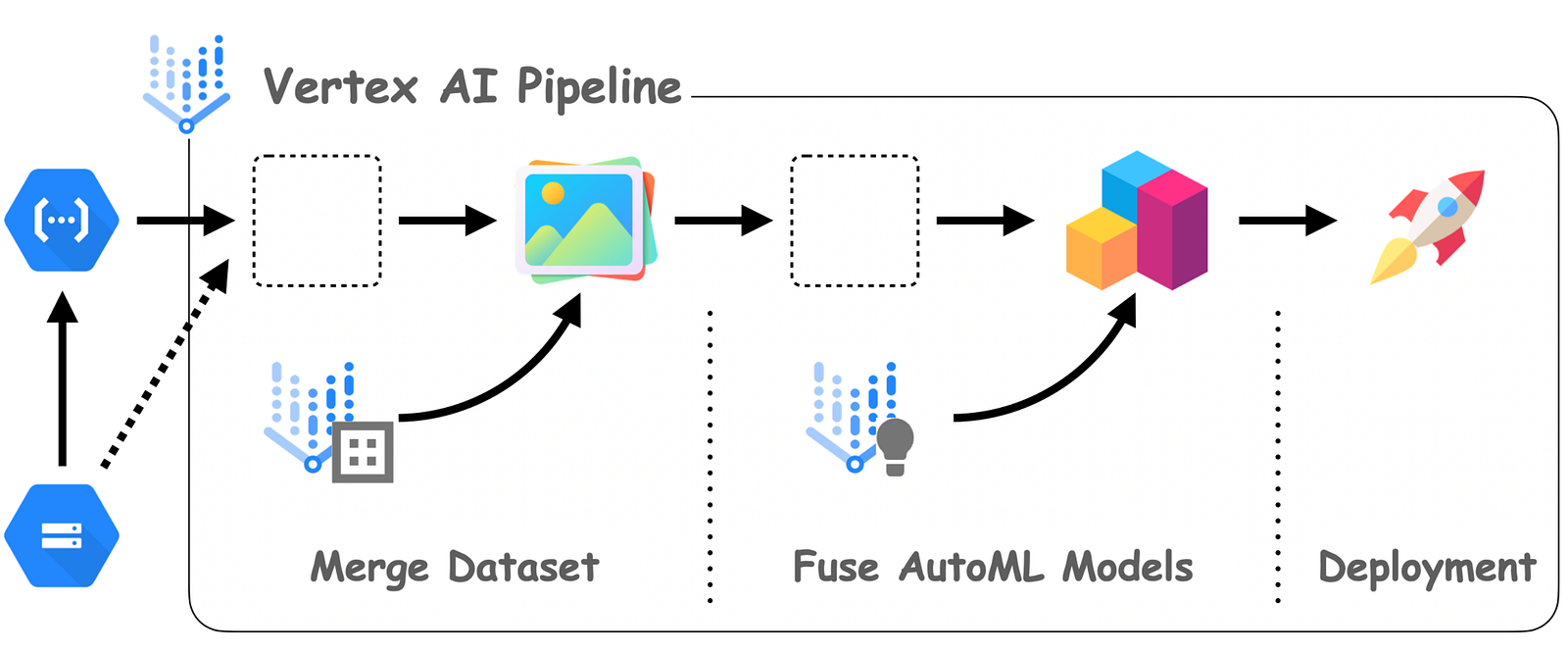
You can:
- Train custom models
- Deploy large language models
- Use pre-trained APIs
- Manage ML pipelines
It offers a free tier and credits for new users.
Why it matters:
If you’re serious about production-grade AI systems, this is where experimentation turns into scalable deployment.
3. Imagen — Text-to-Image Generation
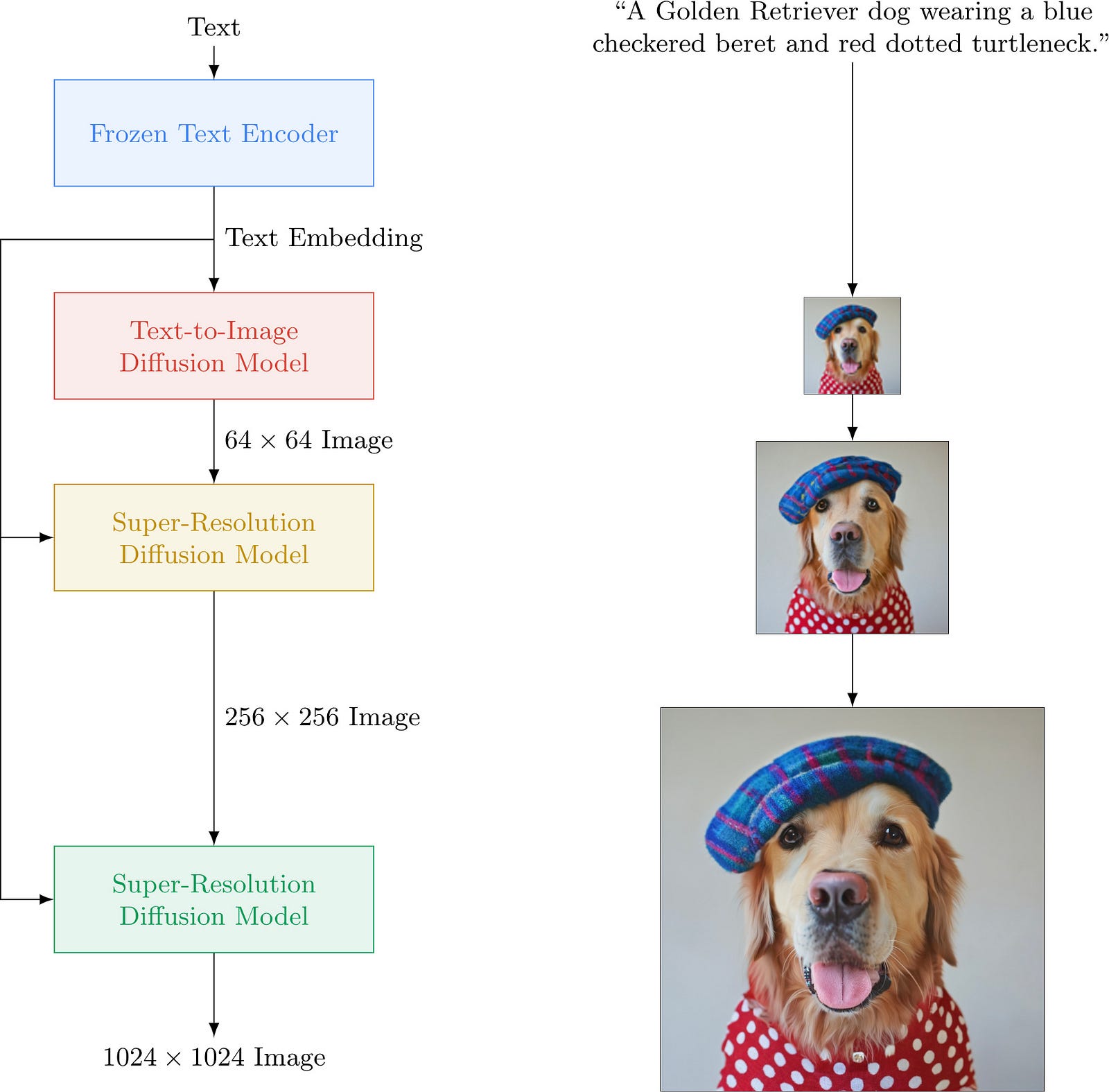
Imagen is Google’s text-to-image model available through Vertex AI.
Creators can generate:
- Social media visuals
- Concept art
- Product mockups
Why it matters:
Instead of outsourcing basic design drafts, creators can quickly prototype ideas visually.
4. Speech-to-Text & Text-to-Speech APIs
Google Cloud Speech-to-Text and Google Cloud Text-to-Speech provide high-accuracy voice processing.
Convert text to lifelike audio with Gemini-powered AI voices. Choose from 380+ natural-sounding voices across 75+…cloud.google.com
Use cases:
- Meeting transcription
- Caption generation
- Voice assistants
- Accessibility features
Example (Python):
from google.cloud import speech
client = speech.SpeechClient()
Why it matters:
Voice interfaces are growing globally. These APIs support multiple languages and are production-ready.
5. PaLM API (Now Part of Gemini API)
PaLM API was Google’s earlier large language model API and is now integrated into Gemini models via Google AI Studio and Vertex AI.
Developers use it to:
- Build chatbots
- Generate structured outputs
- Power AI features inside apps
Why it matters:
Instead of building LLM infrastructure from scratch, you can plug into Google’s models directly.
6. AutoML
Google Cloud AutoML allows users to train models with minimal coding.
Cloud AutoML helps you easily build high quality custom machine learning models with limited machine learning expertise…cloud.google.com
You can:
- Train image classifiers
- Build NLP models
- Create prediction models
Why it matters:
Great for analysts and beginners who want ML results without deep ML engineering.
7. DeepMind Innovations
Google DeepMind continues to produce breakthrough tools.
- AlphaFold predicts protein structures with high accuracy.
- Gemini Code Assist helps developers with AI-powered coding.
Why it matters:
AlphaFold changed biological research globally. Code Assist boosts developer productivity inside IDEs.
8. AI-Powered Google Workspace
AI is deeply embedded in:
- Google Docs (writing & summarization)
- Gmail (smart replies)
- Sheets (formula suggestions)
- Slides (AI-generated visuals)
Learn how the suite of secure, online tools from Google Workspace empowers teams of all sizes to do their best work.workspace.google.com
Why it matters:
These are tools millions already use. AI features are seamlessly integrated — no extra setup required.
9. Google Analytics 4 (GA4)
Google Analytics 4 includes predictive metrics like churn probability and purchase likelihood.
It uses machine learning to:
- Forecast revenue
- Identify high-value users
- Detect behavioral trends
Why it matters:
Even small businesses can access predictive analytics without building ML pipelines.
10. Google Photos AI

Google Photos includes AI features like:
- Magic Eraser (remove unwanted objects)
- Smart albums
- Automatic enhancements
Why it matters:
Powerful image editing without professional software.
11. MediaPipe
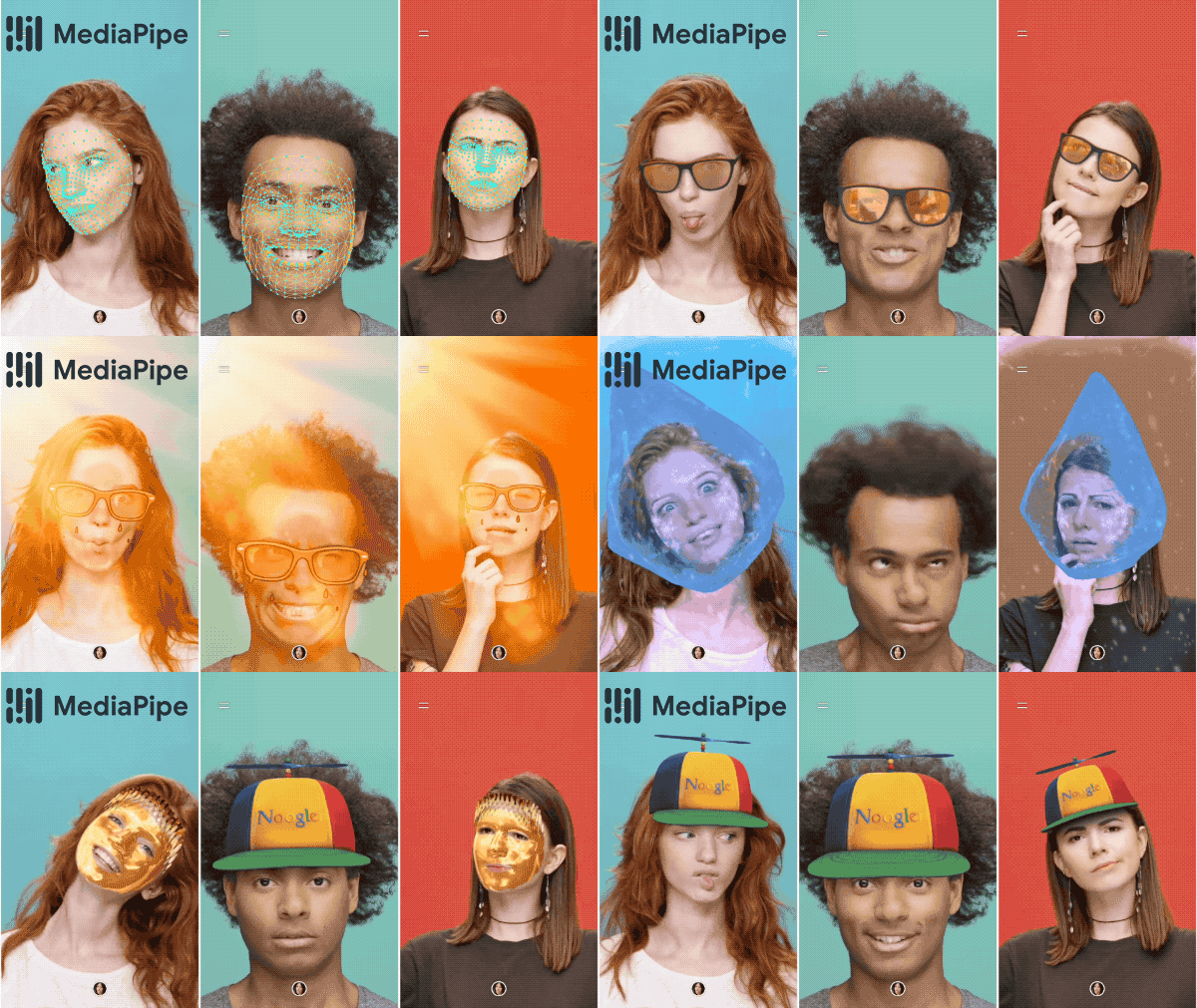
MediaPipe is an open-source framework for real-time computer vision.
Use cases:
- Hand tracking
- Face mesh detection
- AR filters
- Pose detection
Why it matters:
If you are building AR apps or gesture-based interfaces, MediaPipe is lightweight and developer-friendly.
How to Get Started (Free)
- Try Google AI Studio for Gemini experimentation
- Use Google Colab for ML experiments (free GPU sessions available)
- Explore the Google Cloud Free Tier for APIs and small deployments
These tools lower the barrier to entry dramatically. You don’t need enterprise budgets to experiment with serious AI.
Editor’s note-I am not affiliated with any of the tools mentioned above. All links are official and shared purely for educational and exploration purposes.
Final Thoughts
Google’s AI ecosystem in 2025 is broad, practical, and increasingly accessible. Whether you are drafting emails, training ML models, building AR experiences or analyzing business data, there’s likely a free Google AI tool that fits your workflow.
The key is not to try everything at once. Pick one tool aligned with your goals-experiment with it deeply and build from there.
If this helped, tap ❤️ and share it with someone exploring AI this year.